

What this article about
I will show how to convert numbers from one numeral system to another and back again, using examples and infographics. In this article, we will focus exclusively on positional numeral systems - that is, systems where the position (or the place of value) of a digit within a number of carries its own specific value. This is the type of system we use ourselves: the Arabic numeral system.
How to convert a number from decimal to any other numeral system
To convert a number from one system to another, the easiest approach - especially given our familiarity with the decimal system - is to first convert the number to decimal and then to the target base. To start, I will demonstrate how to convert any decimal number into hexadecimal:
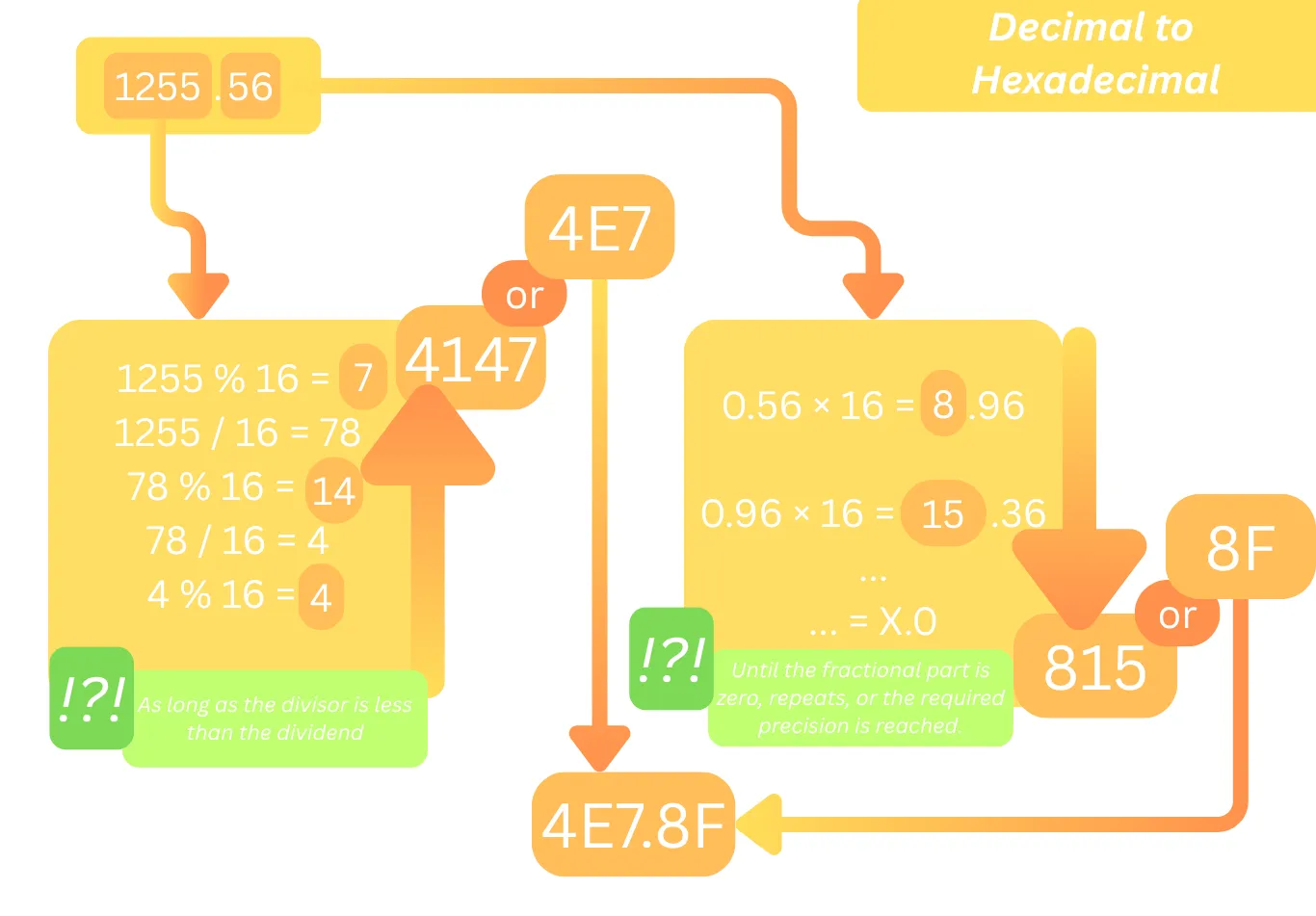
This is an example of converting a number from decimal to hexadecimal.
The infographic above shows an example of converting a number from the decimal system to hexadecimal; the same method applies to converting from decimal to any other numeral system. The principle involves converting the integer and fractional parts separately and knowing when to stop.
Now, let’s look at how to convert a number from any numeral system to decimal.
How to convert a number from any numeral system to decimal
To perform the conversion, you need to break the number down into individual digits. Convert them to the decimal system, and multiply each digit by the base of the target numeral system raised to the power of that digit's position within the number. Digit positions are numbered starting from zero to the left of the fractional part. The fractional part is numbered in reverse order using negative values. That is:
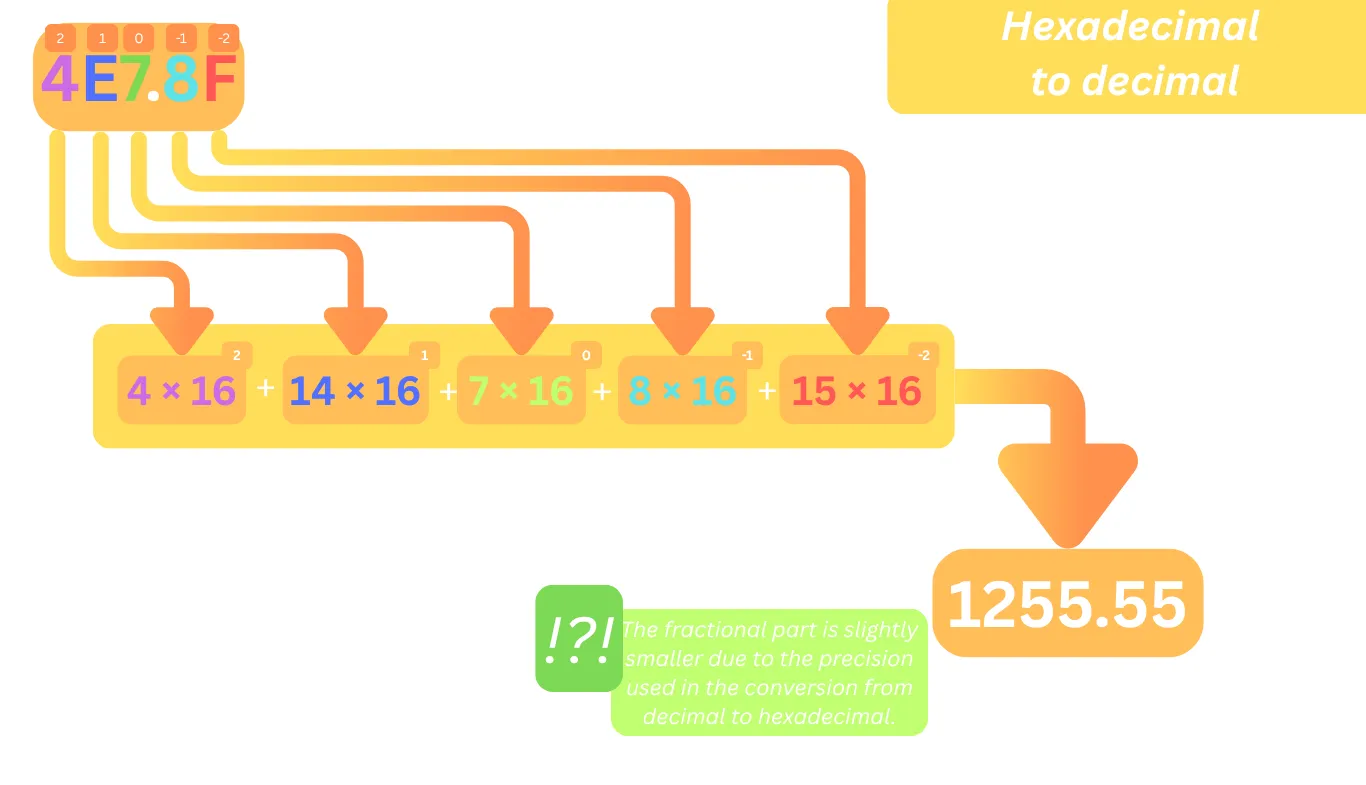
Now, to convert a number from any numeral system to decimal, you simply need to plug in the base of the source system—using any number you like instead of 16.
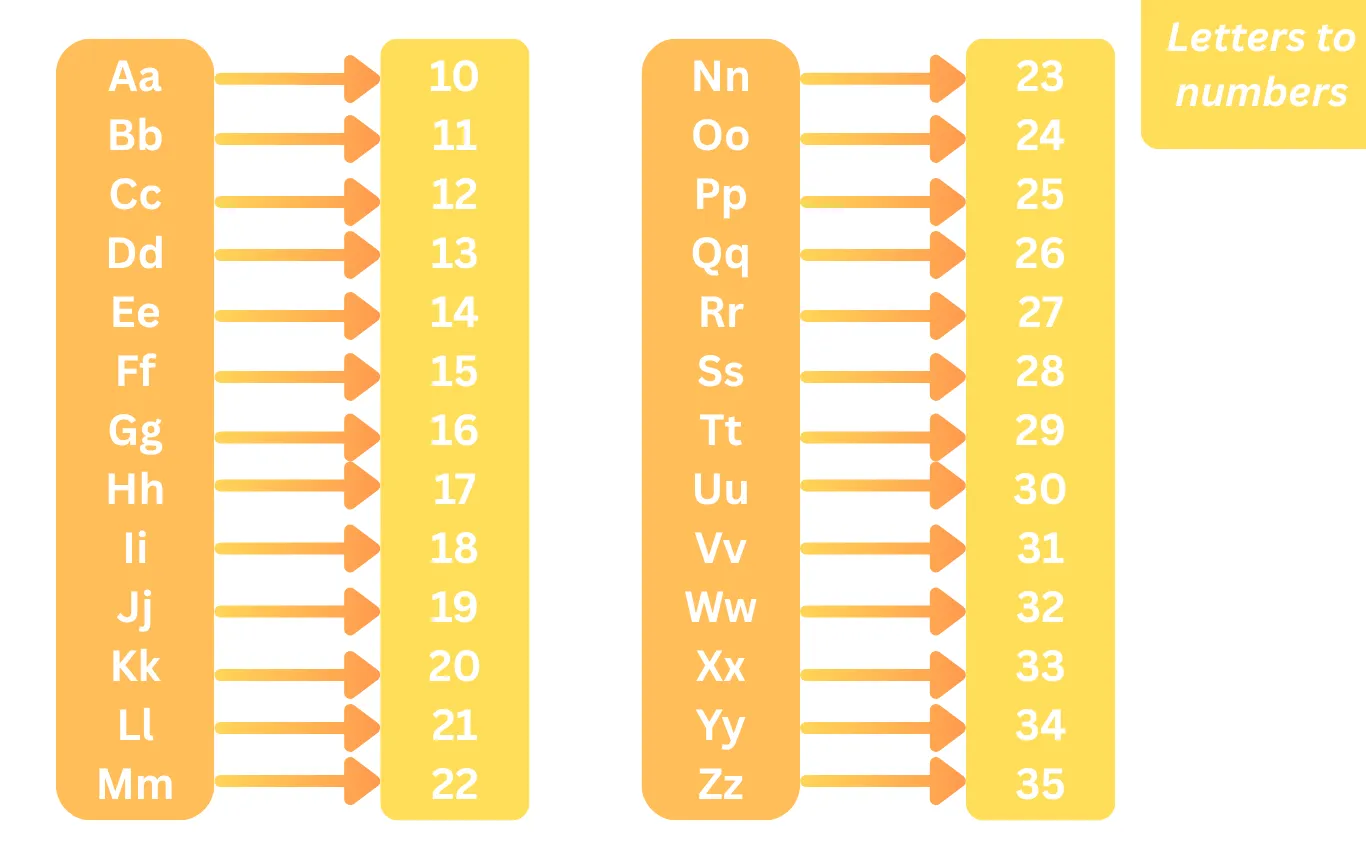
Table of letter-to-value mappings for numeral systems
By the way, a table can help you determine which number corresponds to a specific letter: